Introduction
Today I decided to start a new project that involves a Raspberry PI an IP camera and some wheels I once got as a gift. The idea is building a vehicle that can move forward, backward and can make turns. As easy as this sounds this should be possble remotely.
The IP camera will send a live feed to whatever device is used to watch the stream the camera is sending. We had a security camera laying around that was never installed properly so to make use of it now seems appropriate for a project called Scrap Rover. chuckle
A Raspberry PI controller will be used to receive input commands where the Scrap Rover should be going. It has some output/input pins so it should be able send a digital signal for activating a motor and servo. The input signal can be given via a webpage that the itself will serve. This maybe a reason to opt for a heavier micro-controller with sufficient memory and processing power. It should be able to run a webserver, store the files for the website, stream the video feed of the IP camera and manage the digital signals to control the steering of the vehicle.
Inspecting the IP camera
Because the IP camera was just laying around I had to first figure out how it worked. So I went on a journey through a lot of cardboard boxes to find an appropriate adapter. After I had found one I plugged it into a wall socket at some of the lights were flahsing. This is a good sign! But now I had to figure out how to get the stream running. Apparently the IP camera has the ability to connect through a wifi connection. So I connected my computer to the network that the camera had served. I made the assumption that the camera served some sort of HTML files where the video stream could be watched. I thought: ‘But how do I get those files? Aha, scan the network you’re on and find the IP adress of the camera." This worked and after logging into the admin console of the camera I could watch the video stream.
After this I went a step further and wondered what the result would be of a nmap scan. There were at least two ports being used. Port 80 for serving the HTML files and port 554 for streaming the video. Aha, I learned something new. Apparently RTSP (Real Time Streaming Protocol) is used for streaming the video feed. This is good information because I need something like this for my project. You can use whatever software the connect to this stream and watch it without the need for the admin console of the product itself! I used VLC media player to connect to the stream and it worked! It had a big delay of about half a second but that is not relevant for now.
The next step would be to use this video stream in my own code so I can serve it on my own website.
Maybe in a future project it is worth researching how to use image recognition by using that kind of video stream.
Using the Raspberry PI as a webserver
I looked around a bit a found that the Raspberry PI should can be used as a webserver and host a network. I will go on now and try to configre it to host a network which a mobile device can connect to and view the video stream from the IP camera.
Managing the controls
To managing the controls of the vehicle we should have the ability to go forwards, backwards and make turns. For now the main focus will be to have the ability to go forward. Achieving I will make use of the PINs to send digital signals to a motor to activate and make the vehicle move forward. If this is done the idea is to reverse the polarity of the current so the motor will move backward. And if all those abilities are done we can start working on making a turn. This is the last step because this will involve a lot I think. Controlling a servo motor for the wheels to turn. To make the wheels turn able some kind of turning mechanism should be introduced which involves more than just code and electornics. That dreaded mechanics.
Offical documentation of the PIN diagram
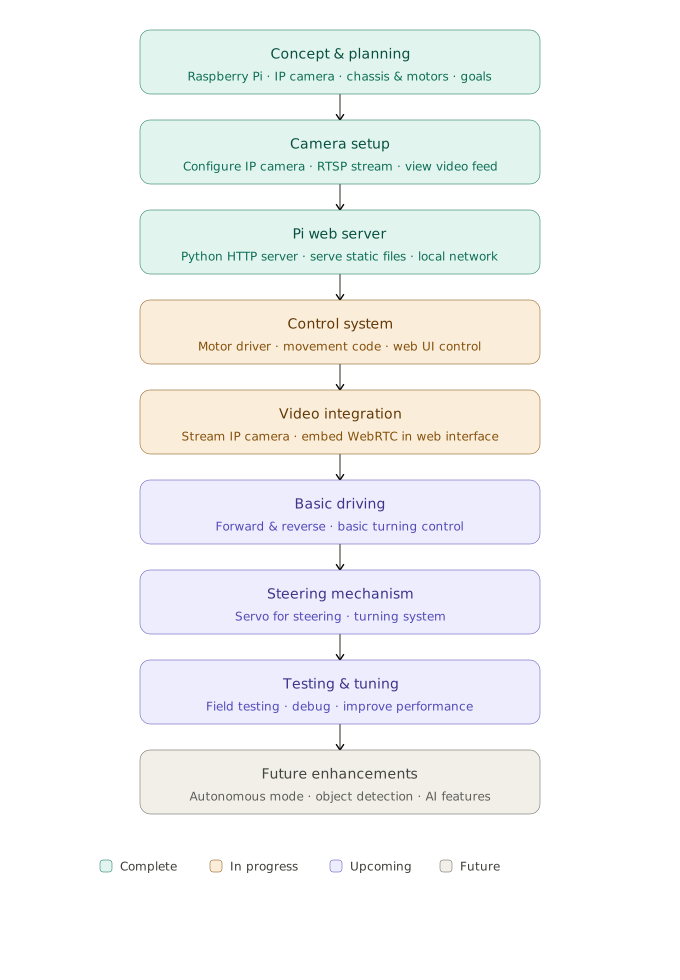
The RoadMap